

Translating my calendar status into the physical world
Raspberry PI
Compute
Flask / React
Stack
1 month
Build Time
Absolutely
Worth it?
01
The Motivation
A tiny interruption problem, repeated every day
It was during COVID and I was working from home. My office was upstairs and my partner could not tell if I was deep in a meeting, doing focused work, or perfectly happy to be interrupted. To check, she had to climb the stairs, knock on the door, and wait for a response. There had to be a better way.
To her, the check itself became the interruption. Calendar availability was a useful signal, but it was hidden on my screen and too cumbersome to share. We wanted the house to communicate my status before anyone had to ask. That communication started as an On Air light above my office door. When I was in a meeting, the light was on; when I wasn't, it was off and I could be interrupted.
The only problem: the light was in the hallway at the top of the stairs. It was a great way to get her steps in, but didn't help with the frustration. So the signal got more intelligent; and moer visible. A three color light tower was added at the top of the stairs, allowing my partner to see my status from the bottom of the stairs.
02
The Experience
Three colors
No explanation needed
No explanation needed
01
Busy
I’m in a meeting or need uninterrupted focus.
02
Interruptable
I’m working, but come up if something is important.
03
Free
I’m available. Come on in.
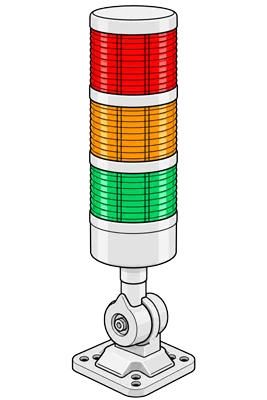
At the stairs
The light tower
Visible from downstairs, it answered “can I interrupt?” before my partner made the trip up.
Above the office door
The On Air sign
A final, unmistakable cue that a meeting was actively in progress.
03
The System
From calendar event to physical signal
The On Air system connects several kinds of calendar data to a physical display in the house. Events flow into a local database, where a web interface allows me to review and override them. A Raspberry Pi Zero calculates my current availability and uses its GPIO pins to control the light tower and On Air sign through a relay board.
Work Calendar
Event Details
Google/O365
Event Details
Web Interface
Overrides / Blocks
→
Raspberry PI
Availability Logic
Local DB
→
GPIO + Relays
Drive light signals
Physical Lights
Light tower / On Air light
01
The system begins by scraping my work calendar and publishing each event to an SQS queue. Local agents process the queue and store the events in a SQLite database. My personal calendars use a different path: local agents subscribe to the Microsoft 365 and Google calendar APIs, which trigger synchronization whenever an event is created, updated, or deleted.
02
A local web interface displays the combined calendar and the availability assigned to each event. From there, I can override a meeting's busy status when the calendar does not reflect whether I can actually be interrupted. I can also add manual blocks of time and mark them as free, busy, or interruptible.
03
A Flask server running on a Raspberry Pi Zero powers the web interface. The Pi also runs a regular processing loop that calculates 24 hours of availability data for the interface and evaluates the current status that should be displayed. Its GPIO pins drive a four-relay board: three relays control the red, yellow, and green lights in the tower, while the fourth controls the On Air sign.
04
Power from the relay board reaches the light tower and On Air sign over CAT-5 cable routed through the walls and ceiling. The cables terminate at Keystone jacks in the office closet, which keeps the installation clean and makes the components easy to disconnect. A custom 3D-printed enclosure houses the Raspberry Pi, relay board, and the rest of the electronics.
04
Design decisions
Automation with a human escape hatch
01
Use the calendar as a default, not the truth
Free/busy data handled the routine cases automatically. Overrides handled the reality that a calendar cannot know whether I can take a quick interruption.
02
Make “interruptible” a first-class state
A binary signal would trade one ambiguity for another. Yellow captured the large middle ground between “do not disturb” and “completely free.”
02
Put information where the decision happens
The light tower belonged at the stairs because that was where my partner decided whether to come up. The On Air sign belonged at the door, right where it would be in a studio.
05
The Result
The house became more expressive
A useful interface doesn’t always need a screen. Sometimes it just needs to be in the right place.
The system turned schedule data into ambient information. Meetings updated automatically, busy days remained easy to manage, and a glance glance from downstairs replaced a trip up to my office.